New
Savings Challenges
Four fun ways to save: 100 Envelopes, No-Spend Month, $5 a Day and the 26-Week Challenge.
- Does the math for you
- Works in Excel, Google Sheets and Numbers
- Examples to show how it works
- Instant download
Made in the USA · Jacksonville, FL
$5.95
Excel spreadsheet
Instant download · your files are ready the moment you pay
Secure checkout · payments by Stripe; we never see your card numberReal people · Affluency, LLC, Jacksonville, FL · 904-362-7083
About Savings Challenges
Savings Challenges does the math for you: the formulas and charts are already built in, so you just type in your numbers.
It works in Microsoft Excel, Google Sheets and Apple Numbers. For Google Sheets: upload the file to Google Drive, then open it with Google Sheets. Tip: keep a blank copy of the original so you can start fresh next month or next year.
Questions
How do I get my files?
Your download is ready the moment you pay, and the link is emailed to you too, so you can download it again later.
Is anything shipped?
No. This is a digital download, so there's no shipping cost and no waiting.
Do I need Excel?
No. It also works in the free Google Sheets and in Apple Numbers.
Questions or trouble with a file?
Real people answer: call or text 904-362-7083 (Affluency, LLC, Jacksonville, FL), or reply to your download email. We'll help you get it working.
Make saving money feel like a game
Saving is easier when it's fun and you can see progress. This spreadsheet includes four popular challenges, so pick one or run several at once:
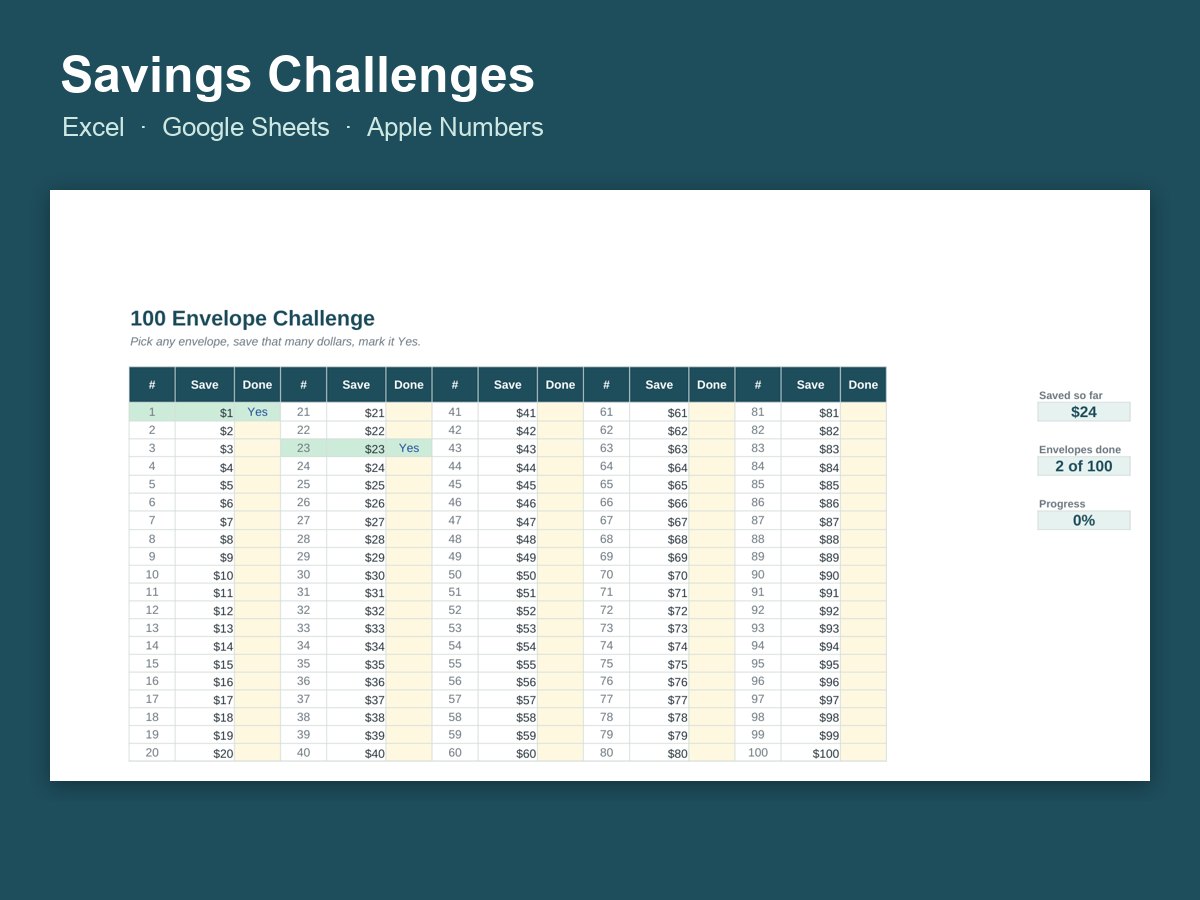
- 100 Envelopes: number envelopes 1 to 100 and fill one at random each day. Finish all 100 and you've saved $5,050.
- No-Spend Month: track every day you buy only the essentials
- $5 a Day: small, steady deposits that add up to over $1,800 a year
- 26-Week Challenge: save a growing amount each week for half a year
The spreadsheet tracks progress and shows your totals, so you can watch the number climb. Examples are included. Try a challenge with your spouse or your kids, or start one in January, before summer vacation or to build an emergency fund. Then put the savings to work with Sinking Funds and the Money Planner Bundle, and watch your progress over time with the Net Worth Tracker.
 AFFLUENCY