New
Employee Schedule and Hours
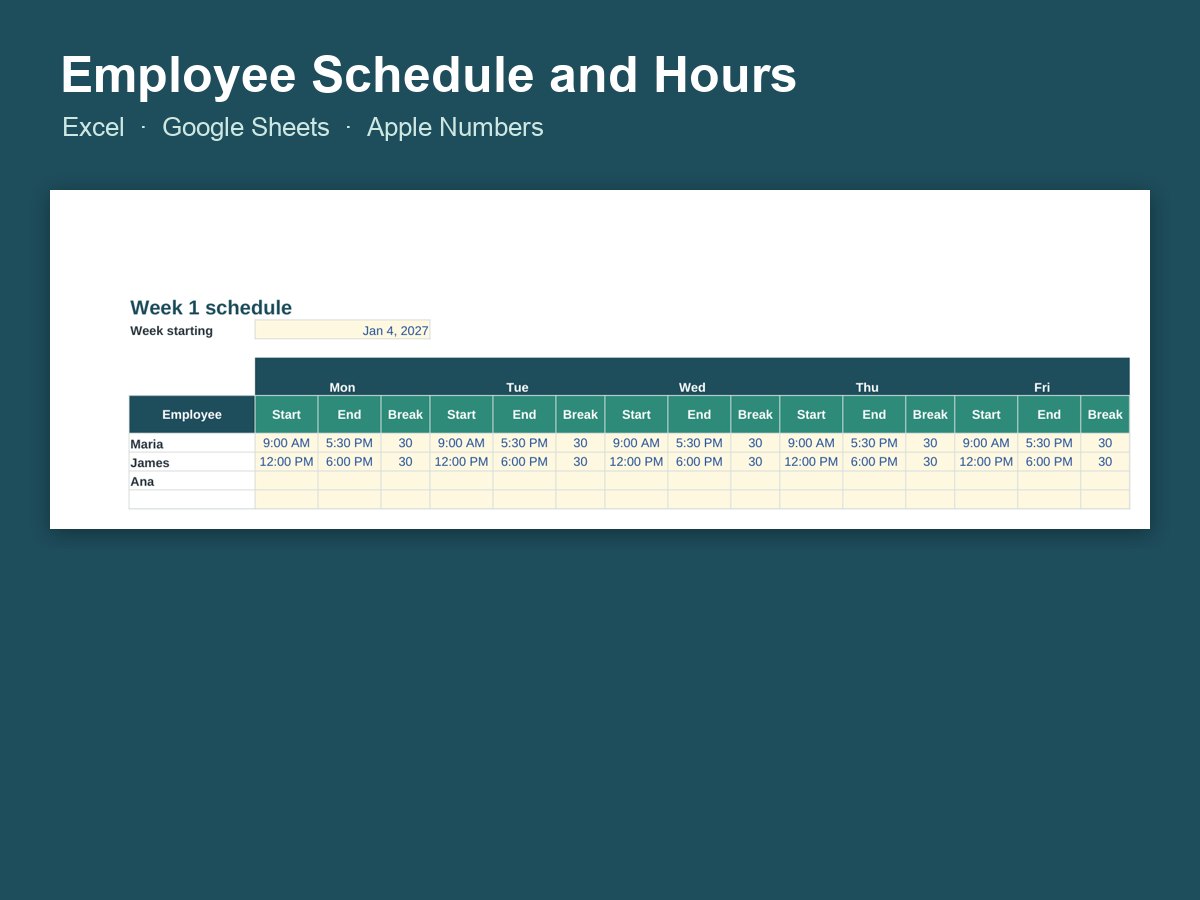
Weekly shift schedule that totals hours, overtime and pay for each employee.
- Does the math for you
- Works in Excel, Google Sheets and Numbers
- Examples to show how it works
- Instant download
Made in the USA · Jacksonville, FL
$5.95
Excel spreadsheet
Instant download · your files are ready the moment you pay
Secure checkout · payments by Stripe; we never see your card numberReal people · Affluency, LLC, Jacksonville, FL · 904-362-7083
About Employee Schedule and Hours
Employee Schedule and Hours does the math for you: the formulas and charts are already built in, so you just type in your numbers.
It works in Microsoft Excel, Google Sheets and Apple Numbers. For Google Sheets: upload the file to Google Drive, then open it with Google Sheets. Tip: keep a blank copy of the original so you can start fresh next month or next year.
Questions
How do I get my files?
Your download is ready the moment you pay, and the link is emailed to you too, so you can download it again later.
Is anything shipped?
No. This is a digital download, so there's no shipping cost and no waiting.
Do I need Excel?
No. It also works in the free Google Sheets and in Apple Numbers.
Questions or trouble with a file?
Real people answer: call or text 904-362-7083 (Affluency, LLC, Jacksonville, FL), or reply to your download email. We'll help you get it working.
Schedule shifts and see payroll hours in one place
Building the weekly schedule and adding up hours for payroll are usually two separate jobs. This spreadsheet does both. Enter each person's shift start and end times and it totals daily and weekly hours, flags overtime, and multiplies by the pay rate so you can see what the week will cost before payroll day.
Who it's for:
- Small shops, restaurants and salons with a handful of employees
- Cleaning crews and contractors who need to track hours by person
- Church and nonprofit offices scheduling staff or paid helpers
Tip: save a blank copy, then make a new copy each pay period, named by date, so you have a clean history if a question comes up later. Print the schedule and post it in the break room, or share it from Google Sheets so the team can check their shifts from their phones. For the rest of your bookkeeping, see Profit and Loss Bookkeeping and the 1099 Contractor Tracker.
 AFFLUENCY