New
Social Media Content Calendar
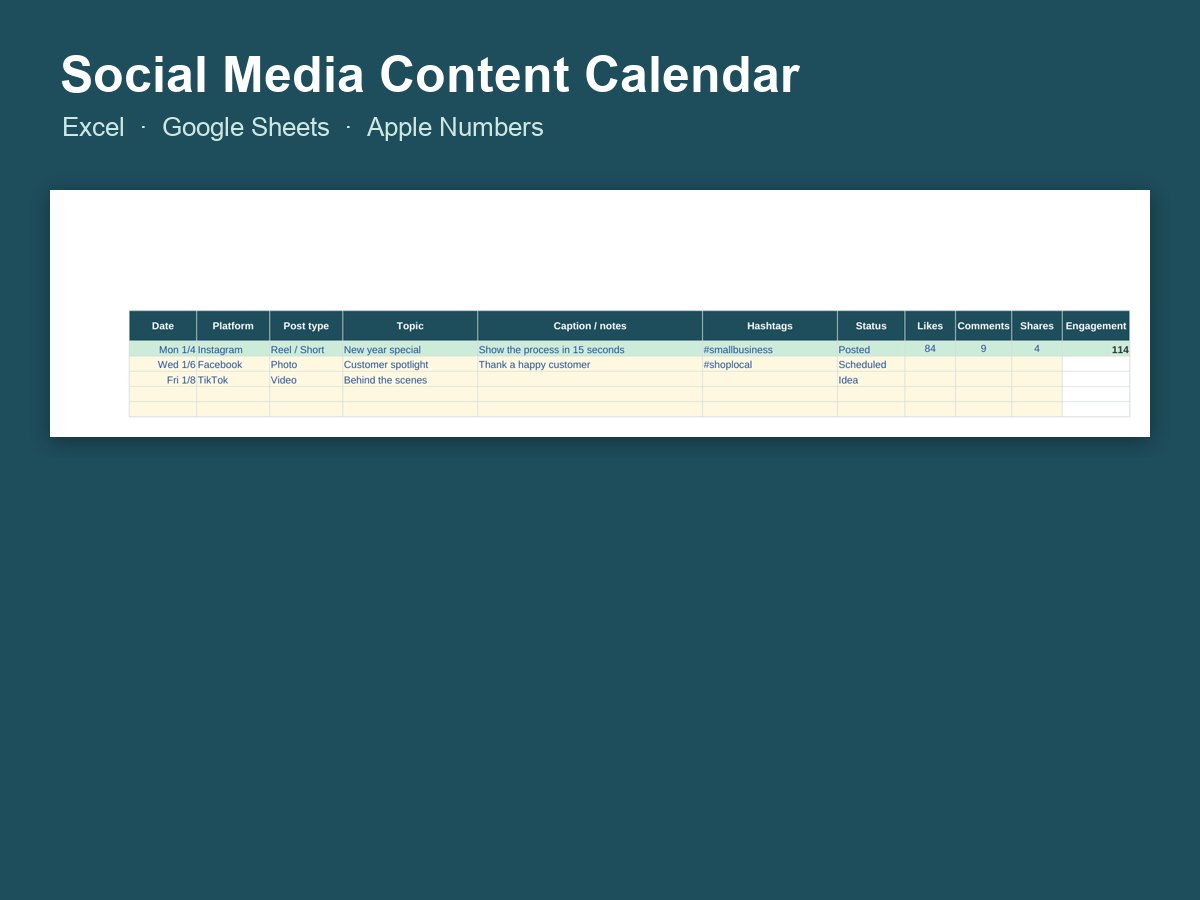
Plan posts for every platform, track what got posted and see which posts got the most engagement.
- Does the math for you
- Works in Excel, Google Sheets and Numbers
- Examples to show how it works
- Instant download
Made in the USA · Jacksonville, FL
$5.95
Excel spreadsheet
Instant download · your files are ready the moment you pay
Secure checkout · payments by Stripe; we never see your card numberReal people · Affluency, LLC, Jacksonville, FL · 904-362-7083
About Social Media Content Calendar
Social Media Content Calendar does the math for you: the formulas and charts are already built in, so you just type in your numbers.
It works in Microsoft Excel, Google Sheets and Apple Numbers. For Google Sheets: upload the file to Google Drive, then open it with Google Sheets. Tip: keep a blank copy of the original so you can start fresh next month or next year.
Questions
How do I get my files?
Your download is ready the moment you pay, and the link is emailed to you too, so you can download it again later.
Is anything shipped?
No. This is a digital download, so there's no shipping cost and no waiting.
Do I need Excel?
No. It also works in the free Google Sheets and in Apple Numbers.
Questions or trouble with a file?
Real people answer: call or text 904-362-7083 (Affluency, LLC, Jacksonville, FL), or reply to your download email. We'll help you get it working.
Post consistently without the daily scramble
The businesses that grow on social media usually aren't the ones with the fanciest posts. They're the ones that post regularly. This spreadsheet lets you plan a month of posts in one sitting, across every platform, then track what actually got posted and which posts got the most likes, comments and shares.
A simple weekly plan to fill it with:
- Monday: a tip or how-to from your expertise
- Wednesday: behind the scenes, your team or a work in progress
- Friday: a product, offer or customer review
- Weekend: something personal, local or fun
Once a month, check the engagement totals and do more of what worked. It works in Excel, Google Sheets and Apple Numbers. Share it in Google Drive if someone helps with your posting. Need the visuals too? The Small Business Social Media Kit has ready-made designs, and a Custom Social Media Brand Kit gives your pages a matching look. For video, see the YouTube Thumbnail Template.
 AFFLUENCY